
Updated 8 September 2026 against official sources (see the notes marked in the article).
How do I perform an EPF Account 3 withdrawal in 2026? To withdraw from EPF Account 3 (Akaun Fleksibel), log in to the KWSP i-Akaun app. Navigate to the “Withdrawal” tab and select “Akaun Fleksibel”. Enter your desired amount (Min RM50). Per KWSP's official account-restructuring FAQ, payment is made within three (3) working days of your application being approved. Note that you can also perform a one-time transfer from Account 2 (Akaun Sejahtera) to Account 3 if your balance is low, but this action is irreversible.
Table of Contents
Walaoeh! The “Free Money” Season is Here! 🤑 It is that time of the year again. The EPF Dividend 2026 is about to be announced. Everyone is checking their i-Akaun to see the “Kaching” numbers go up.
But wait. Dividend money usually goes into Account 1 (Retirement) and Account 2 (Sejahtera). What if you need cash NOW? Maybe you want to pay off your Credit Card debt or buy that new PS5 Pro?
Enter EPF Account 3 (Akaun Fleksibel). This is the “ATM Machine” of your EPF. You can withdraw anytime, anywhere. But be careful! There are hidden rules, daily limits, and financial “traps” that most agents won’t tell you.
In this Ultimate 3000-word Guide, we will teach you How to Transfer, How to Maximize Withdrawal, and Why withdrawing might be a bad idea (with real math!).
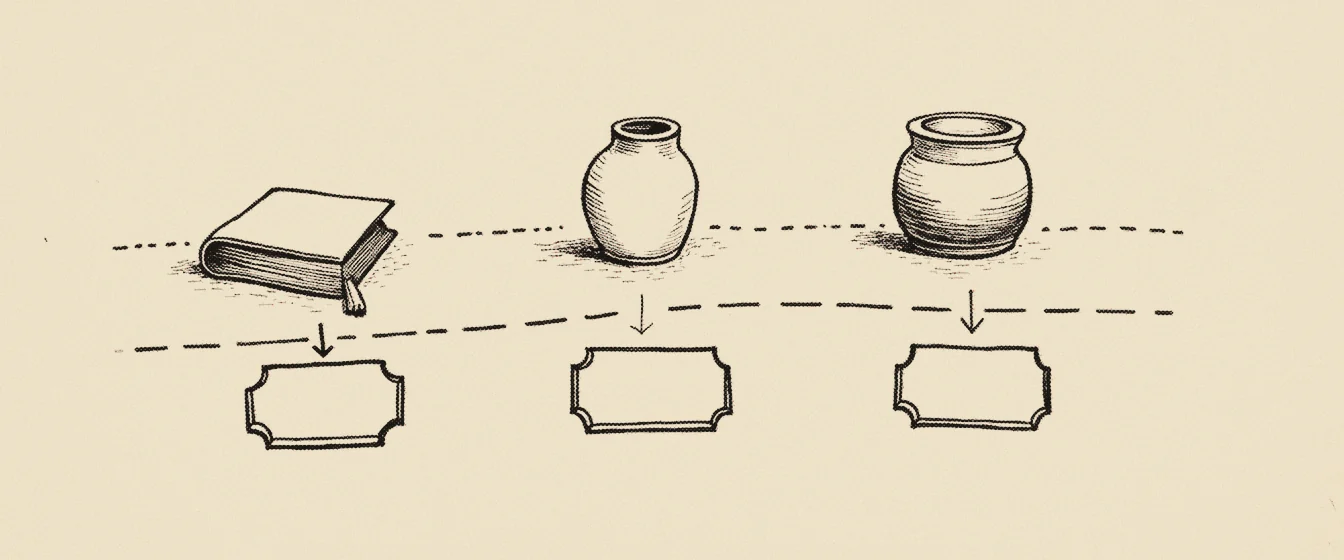 The 3rd potMove money inTake it out
What is EPF Account 3 (Akaun Fleksibel)?
Introduced recently, the KWSP Akaun Fleksibel (Account 3) is specifically designed for your short-term cash liquidity needs. Unlike the other accounts, this fund provides immediate access to cash without strict documentation. Unlike Account 1 (Retirement) which is locked until age 55, or Account 2 (Housing/Education) which needs supporting documents, EPF Account 3 withdrawal is Document-Free.
The New Structure (2026 Rules):
- Akaun Persaraan (Acc 1): 75% of your monthly contribution. (Strictly for Old Age).
- Akaun Sejahtera (Acc 2): 15% (For House, Medical, Education).
- Akaun Fleksibel (Acc 3): 10% (Withdraw anytime).
Basically, every month when your boss pays your EPF (Caruman), 10% of that money goes straight into this flexible pot. This is your “Emergency Fund”.
Part 1: How to Transfer Money to Account 3 (The “Opt-In” Trick)
“Alamak, my Account 3 balance is RM0. How to withdraw?” If you perform a KWSP i-Akaun login and find your flexible balance empty, don’t panic. You can still use the “Initial Amount Transfer” feature if you are eligible.
How the Transfer Works:
- Eligibility: All members under age 55.
- The Rule: You can transfer one-third (1/3) of your Account 2 balance to Account 3.
- The Catch: This is a One-Time Offer. Once you opt-in, you cannot reverse it.
Step-by-Step Transfer Guide:
- Login to KWSP i-Akaun app (Android / iOS).
- Look for the banner “Pindahan Amaun Permulaan”.
- Click “Learn More” and review the amount calculated.
- Confirm Transfer: Use your TAC/Secure Verification.
- Result: Your Account 2 decreases, and Account 3 increases instantly. Now you are ready for an EPF Account 3 withdrawal.
Part 2: Step-by-Step Withdrawal Guide (The Cash Out)
Ready to take the money? Follow these exact steps to avoid rejection. Note: Ensure your bank account is active and in your own name.
Step 1: Download & Login
- Ensure you have the latest version of the app.
- Perform your KWSP i-Akaun login securely.
Step 2: Go to “Withdrawal”
- Tap on the “Withdrawal” (Pengeluaran) icon at the bottom bar.
- Select “Pengeluaran Akaun Fleksibel”.
Step 3: Enter Amount
- Minimum: RM50.
- Maximum: You can withdraw the entire available balance in your Akaun 3 KWSP if you wish.
- Walaoeh Tip: Do not withdraw odd numbers like RM49.50. Stick to round figures (e.g., RM50, RM100) to ensure faster processing.
Step 4: Select Bank Account
- Crucial Rule: The bank account MUST be in your own name (MyKad match).
- No Joint Accounts: If you share an account with your wife/husband, it will be rejected.
- No Company Accounts: It must be a personal savings/current account.
Step 5: TAC / Secure Verification
- Approve the transaction via the app notification.
Step 6: “Permohonan Berjaya Dihantar”
- Take a screenshot for reference. You will also receive an SMS/Notification.
Part 3: The Daily Limit & “Fast Pay” Rules (The Gotcha!)
“Eh, why did my friend get the money before me?” This depends on the EPF transfer limit rule. KWSP sets specific thresholds for “Fast Payment” versus standard processing to ensure security.
1. The “Fast Pay” Lane (RM250 Limit)
- If your EPF Account 3 withdrawal amount is RM250 or less.
- Speed: Within three (3) working days of approval.
- Best for: Emergency lunch money or paying small bills.
2. The “Standard” Lane (> RM250)
- If you withdraw RM1,000, RM5,000, or RM50,000.
- Speed: 1 to 3 Working Days.
- Process: It goes through the standard banking validation process.
Walaoeh Strategy: If you need RM500 urgently:
- Withdraw RM250 today (Monday).
- Withdraw another RM250 tomorrow (Tuesday).
- Result: You get the cash faster than withdrawing RM500 in one go (which might take until Wednesday).
Part 4: Payout Date (When is the Money in Bank?)
This is the most asked question in Malaysia: “Bila duit masuk?” Knowing the exact KWSP payout date is crucial so you don’t stress out waiting for the notification. Here is the estimated timetable based on your submission day:
| Submission Day | Time | Estimated Credit (Amount > RM250) |
|---|---|---|
| Monday | Morning | Wednesday Evening |
| Tuesday | Morning | Thursday Evening |
| Wednesday | Morning | Friday Evening |
| Thursday | Morning | Monday Evening (Next Week) |
| Friday | Any time | Tuesday/Wednesday (Next Week) |
| Weekend | Sat/Sun | Wednesday (Next Week) |
Pro Tip: Never perform an EPF Account 3 withdrawal on a Friday evening or Public Holiday. You will wait forever. Always do it on Monday to Wednesday.
Part 5: The Math of Regret (Should You Withdraw?)
Before you press that button, we need to talk about the Opportunity Cost. Money in EPF earns roughly 5.5% to 6.0%annual dividend. Money in your Maybank Savings Account earns 0.25%.
The Calculation (The RM10,000 Trap): If you withdraw RM10,000 today to buy a superbike.
- Dividend Lost (1 Year): RM600.
- Dividend Lost (10 Years): With compound interest, that RM10,000 would have become RM17,908.
- You Lost: RM7,908 in future money.
When is it OK to withdraw?
- High-Interest Debt: If you have Credit Card debt charging 18% interest. (Paying 18% to save 6% is smart math).
- Emergency: Medical, car breakdown, or preventing house auction.
- Higher Investment: If you move it to ASB Financing which yields slightly better or helps you get a loan.
When is it STUPID to withdraw?
- Buying a new iPhone.
- Modifying your Perodua Myvi.
- Going for a holiday (Unless you really need a break!).
Part 6: Troubleshooting & Error Codes
Sometimes the app says “Permohonan Gagal” (Failed). Why?
- Bank Account Dormant: You haven’t used that Maybank account for 1 year. The bank blocked the incoming fund.
- Name Mismatch: Your EPF name is “Ali Bin Abu”, but your Bank name is “Ali B Abu”.
- Fix: Go to the bank to update your name to match your MyKad exactly.
- Phone Number Changed: You cannot receive TAC.
- Fix: Visit a KWSP Kiosk (Self-Service) to update your OTP number with your thumbprint.
- System Maintenance: KWSP system usually goes down from 12:00 AM to 6:00 AM. Try again after 8:00 AM.
Part 7: Comparison (Account 2 vs Account 3)
“Can I withdraw Account 2?” Yes, but it is harder.
| Feature | Akaun Fleksibel (Acc 3) | Akaun Sejahtera (Acc 2) |
|---|---|---|
| Withdrawal Limit | Any Amount | Specific to Invoice |
| Documents | None (Zero) | Invoice, S&P, Offer Letter |
| Approval Speed | Within 3 working days of approval | 1 – 2 Weeks |
| Purpose | Anything | Housing, Education, Health |
| Frequency | Daily | Once per application |
If you are buying a house, use Account 2. If you are buying groceries, use Account 3.
Summary: Your Money, Your Choice
The introduction of EPF Account 3 withdrawal gives Malaysians power over their cash. It prevents people from borrowing from Ah Longs. But remember: It is still your retirement money.
Walaoeh Checklist:
- Check Balance: Login to i-Akaun first.
- Update Bank: Ensure your bank account is active.
- Think Twice: If you don’t need it, leave it to grow!
Frequently Asked Questions (FAQ)
Can I transfer funds from Account 3 back to Account 1?
Yes! If you regret making an EPF Account 3 withdrawal or simply want to maximize your dividends, you can perform a “Transfer Back” via the app. Moving money to Account 1 is a smart move because it gives you tax relief (up to RM4,000) and keeps your retirement fund safe.
What is the minimum withdrawal for Akaun Fleksibel?
The minimum EPF Account 3 withdrawal amount per transaction is RM50. You cannot withdraw less than this. There is no minimum balance required to keep the account active; it can remain at RM0.00.
Why was my KWSP withdrawal rejected?
Common reasons include:
1.Bank account number does not match your name (IC).
2.Bank account is dormant/inactive.
3.You entered an amount higher than your available balance.
4.You tried to withdraw during system maintenance hours.
Is EPF Account 3 withdrawal taxable?
No. In Malaysia, all EPF withdrawals are tax-exempt. You do not need to declare this withdrawal in your Income Tax e-Filing.
Can bankrupts withdraw from Account 3?
Technically, yes. KWSP allows withdrawals. However, once the money hits your bank account, the Insolvency Department (Jabatan Insolvensi) may freeze or seize it depending on your bank account status. It is best to consult with AKPK before withdrawing.
⚠️ Disclaimer
Disclaimer: This guide is for educational purposes only. The Walaoeh is not a financial advisor. Please refer to the official KWSP website for the latest policy updates.